
Software for interior design firms
Comprehensive, by design.
Sourcing, moodboards, procurement, invoicing, budget, and QuickBooks - the whole business side of your design firm, in one place. Enter a product once and it carries itself through all of it. You get back to design.
Enter it once. It flows everywhere.
In most tools you source a chair once, then type it in again for the moodboard, again for the spec sheet, again for the purchase order, again for the invoice. CoCanvas enters it once. The same record drives all of it - so when something changes, it changes everywhere. That’s the whole idea.
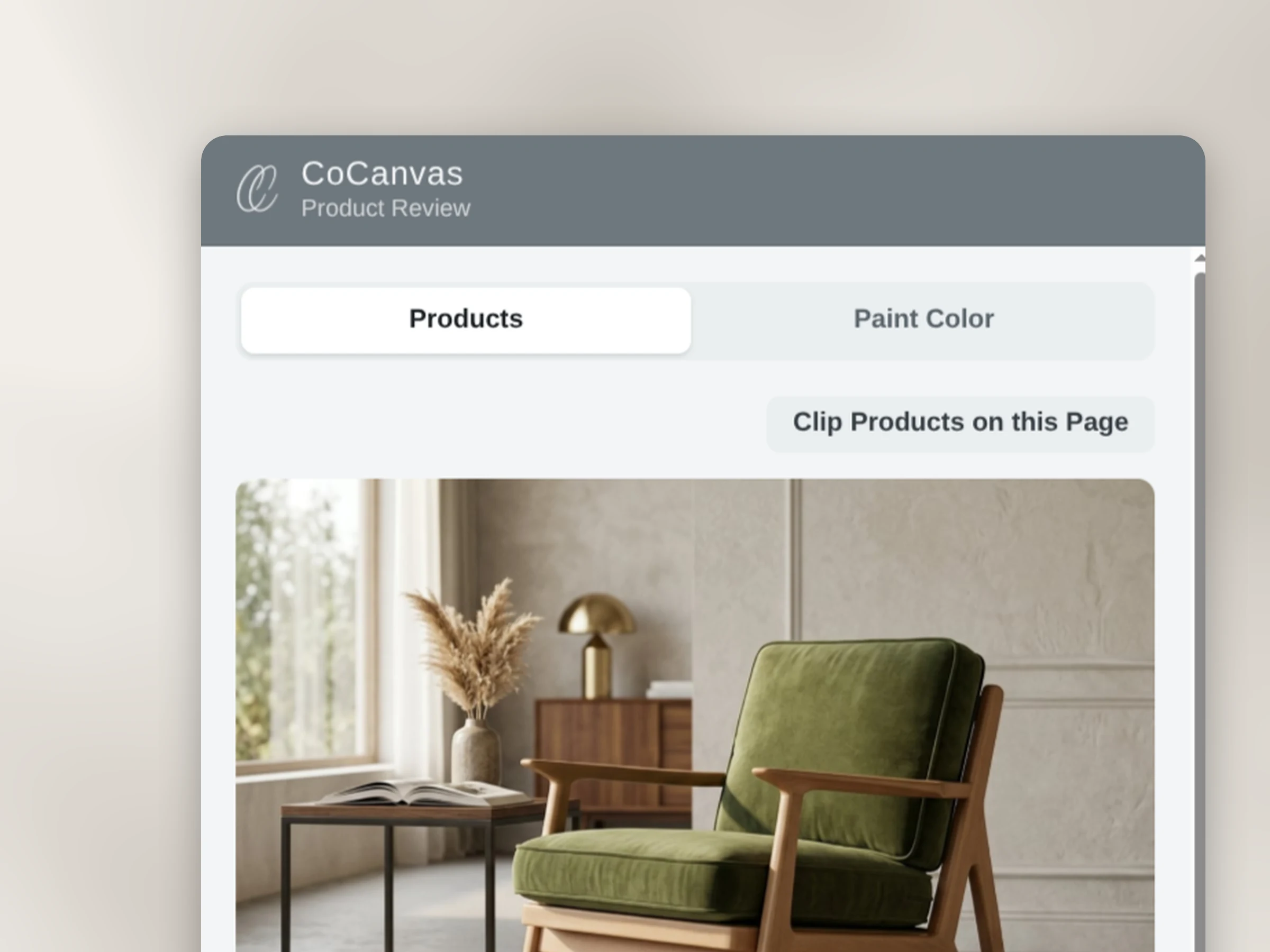
Source it once.
Clip a product from a vendor site or add it to your library. One record.
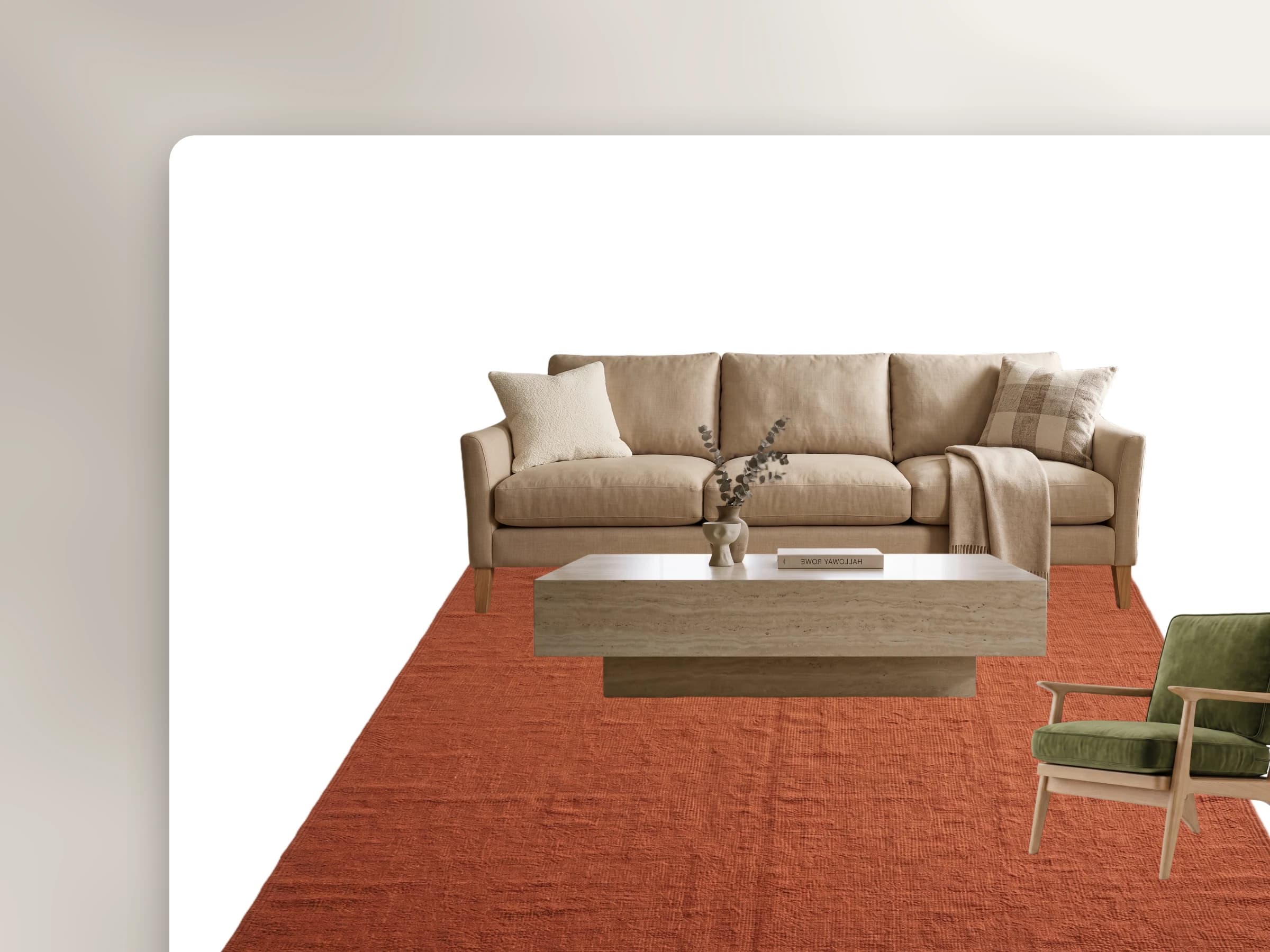
Design with it.
Drop it on the moodboard and present it to the client in their portal.
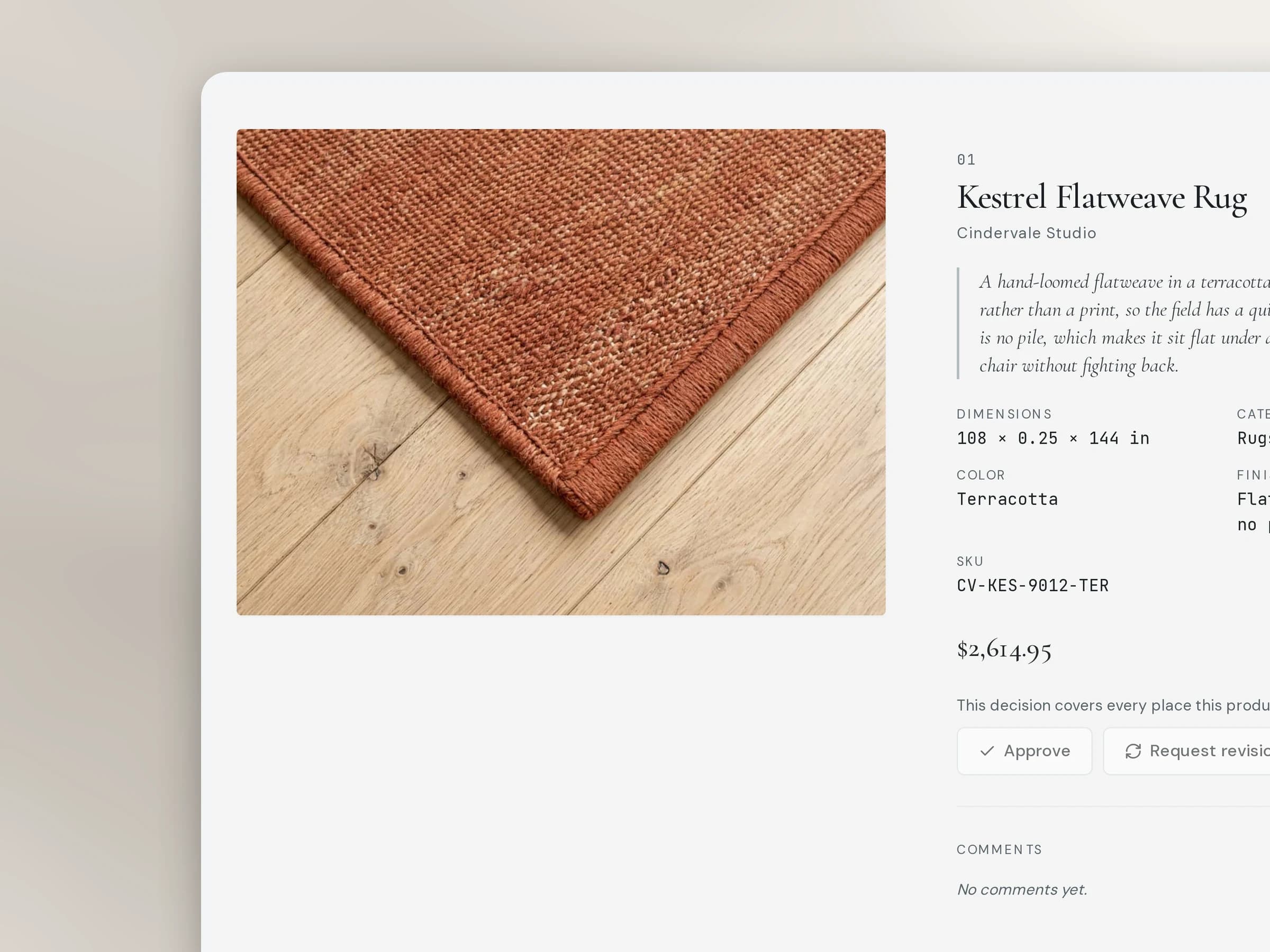
Get the yes.
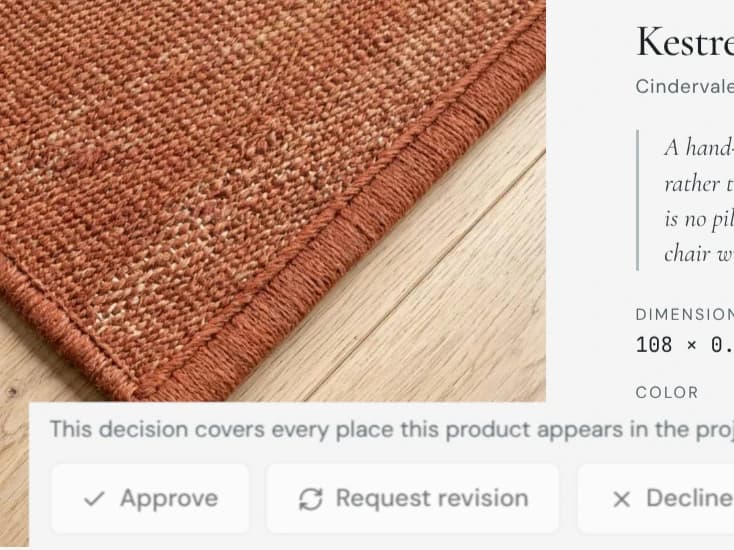
The client approves in the portal - no email-tag, no version confusion.
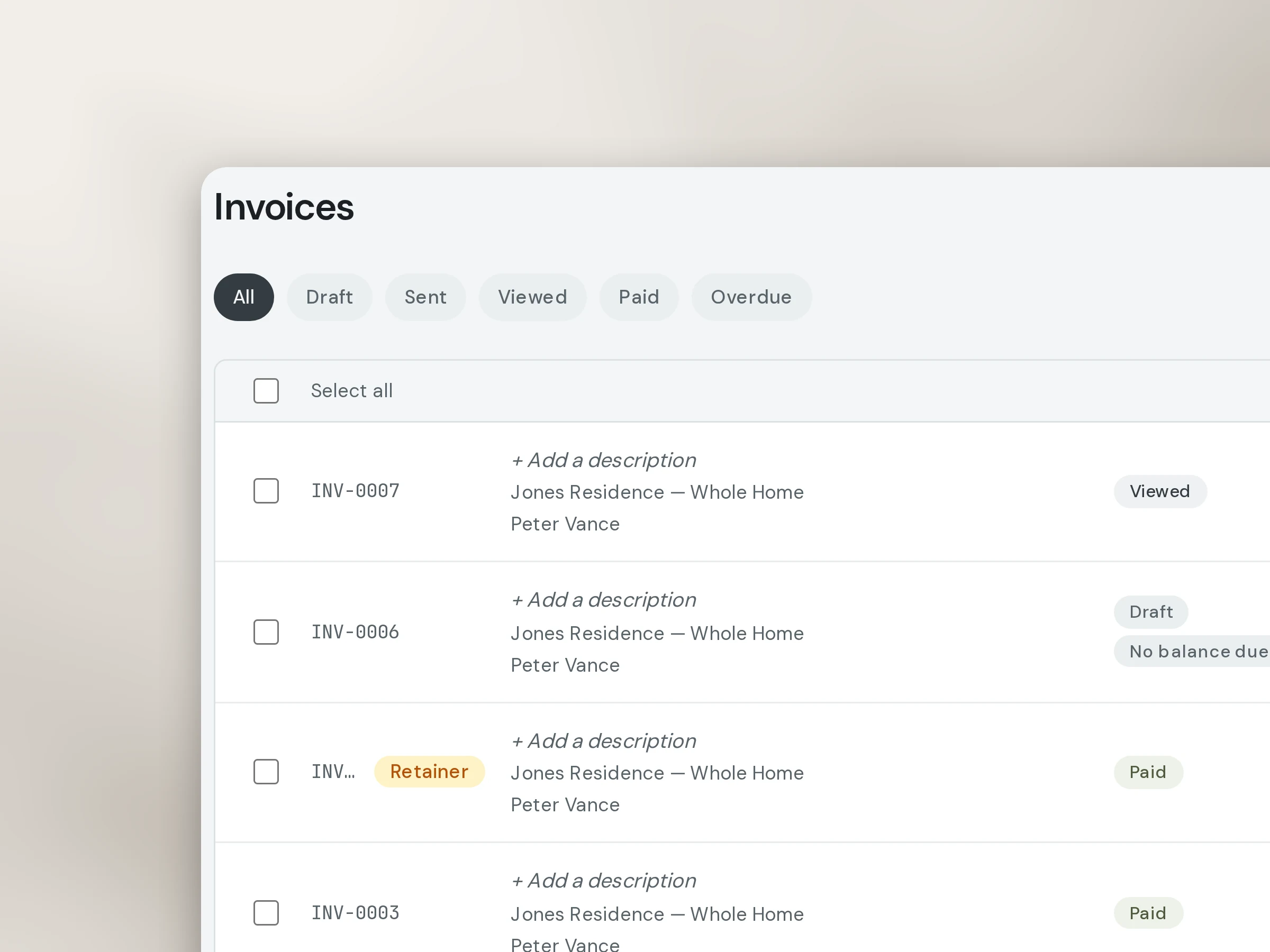
Bill from it.
The same product becomes a line on the invoice, gets paid, and syncs to QuickBooks.
The admin runs itself. You get back to design.
Less admin. More design.
The reason you started a firm wasn’t to be your own data-entry clerk. CoCanvas runs the business side of a project - sourcing, approvals, invoicing, the books - so the hours you used to lose to admin go back to the work you actually love.
One source of truth for your design firm.
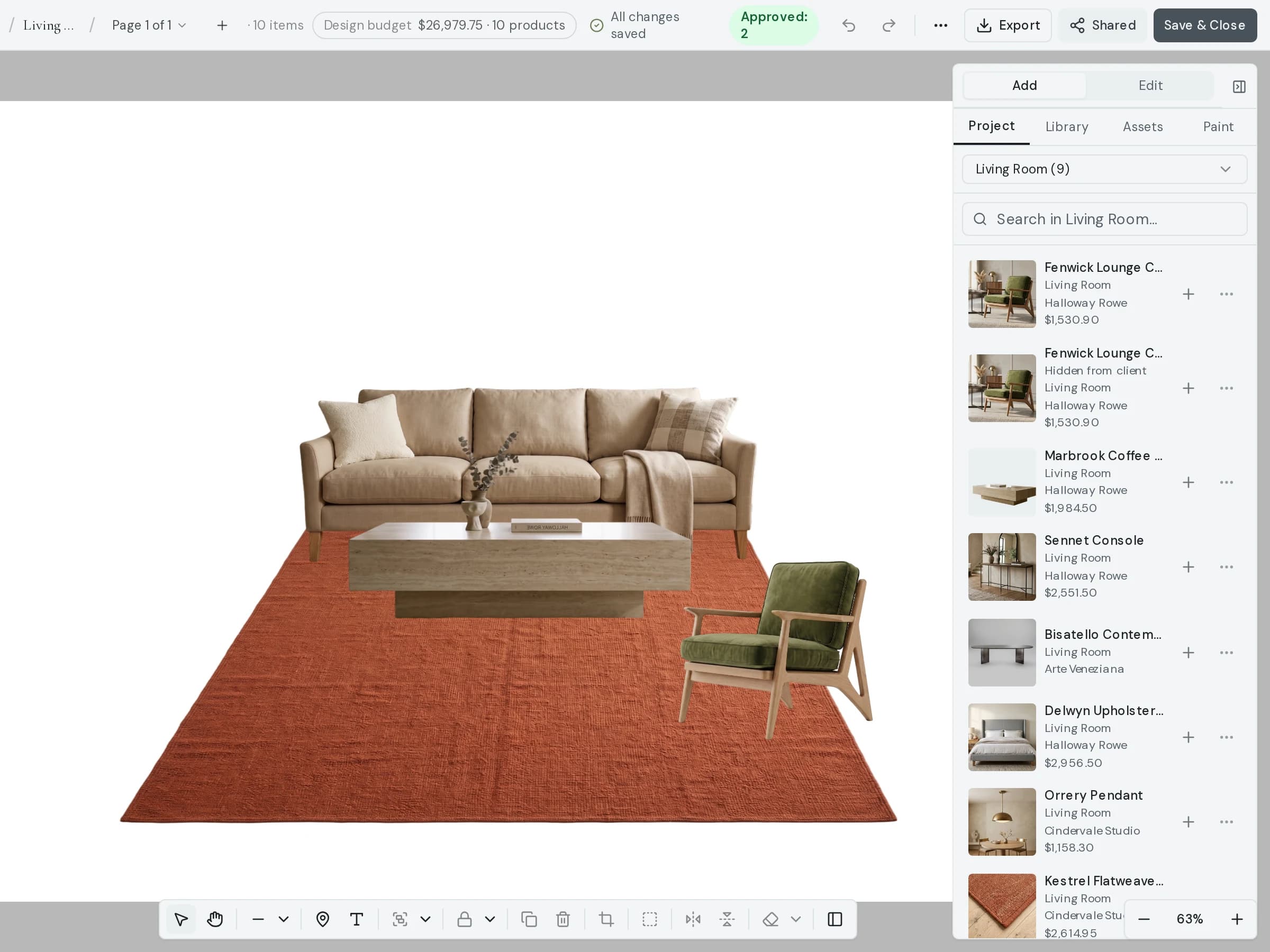
The moodboard
A canvas that stays out of your way.
Hairline-thin chrome, infinite paper, and a product library docked beside it. Drag, arrange, and annotate without fighting the tool.
- Infinite canvas with snap-to-grid and freeform modes
- Product library docked alongside the canvas — no context switching
- One-click export to PDF or shareable link for client review
The client portal
A space that makes you look the way your work does.
Every firm gets a branded portal. Clients see a quiet, editorial view of their project — approve items, leave comments, and sign contracts without ever needing an account.
- Branded portal — your name, your aesthetic
- Per-item approve / decline with inline comments
- Contract signing and invoice payment in one place
The whole project, in one login - including the money.
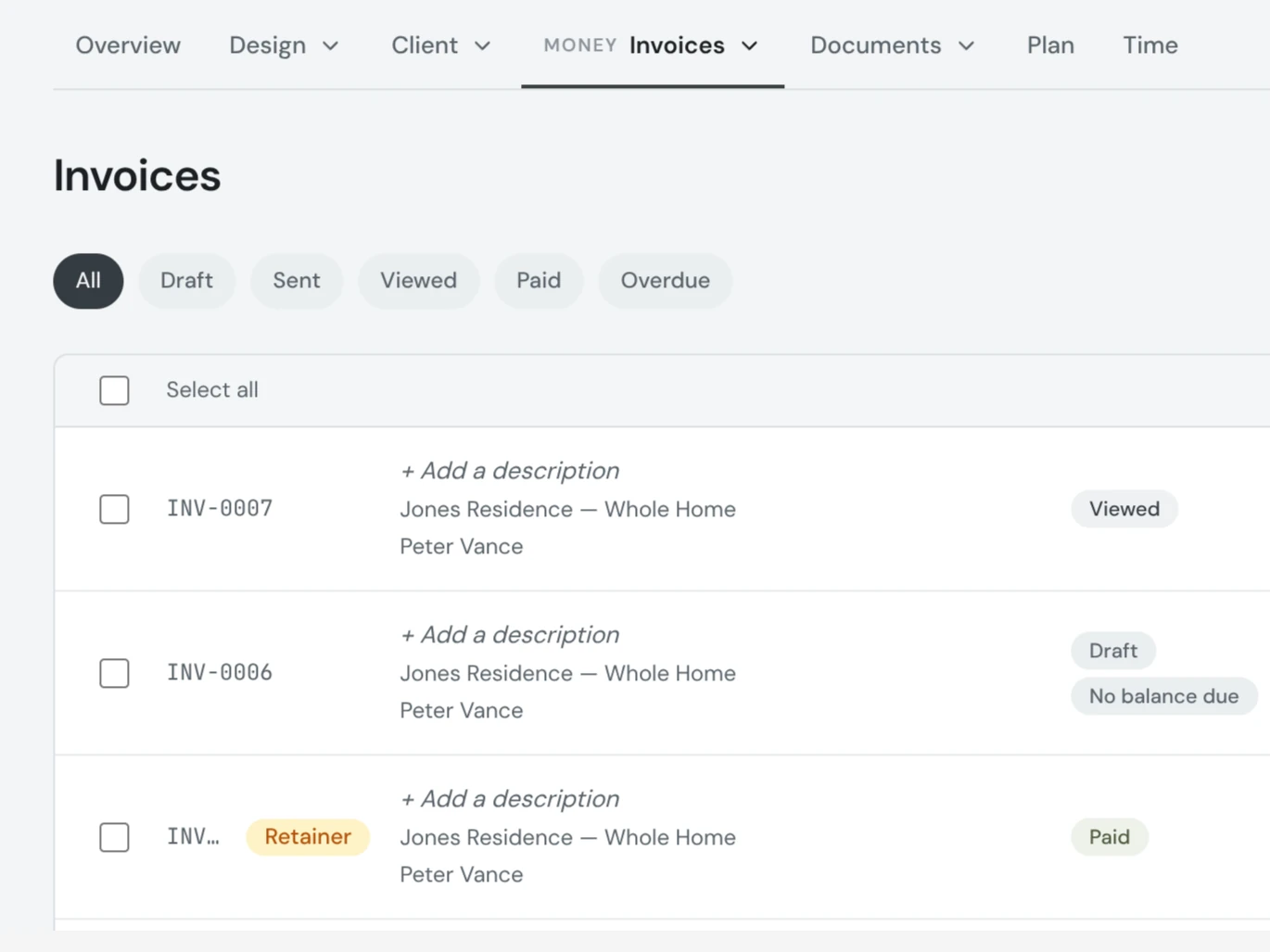
Invoices that look like the rooms.
Source products, build moodboards, present to the client, collect approvals, send the invoice, get paid, and sync to QuickBooks. Contracts get e-signed; procurement runs RFQ to purchase order. It's not five tools stitched together - it's one place, built around how a project actually moves.
- Auto-generated from approved items — no re-entry
- One-click QuickBooks sync with line-item mapping
- Stripe-powered payments — card and ACH
The budget
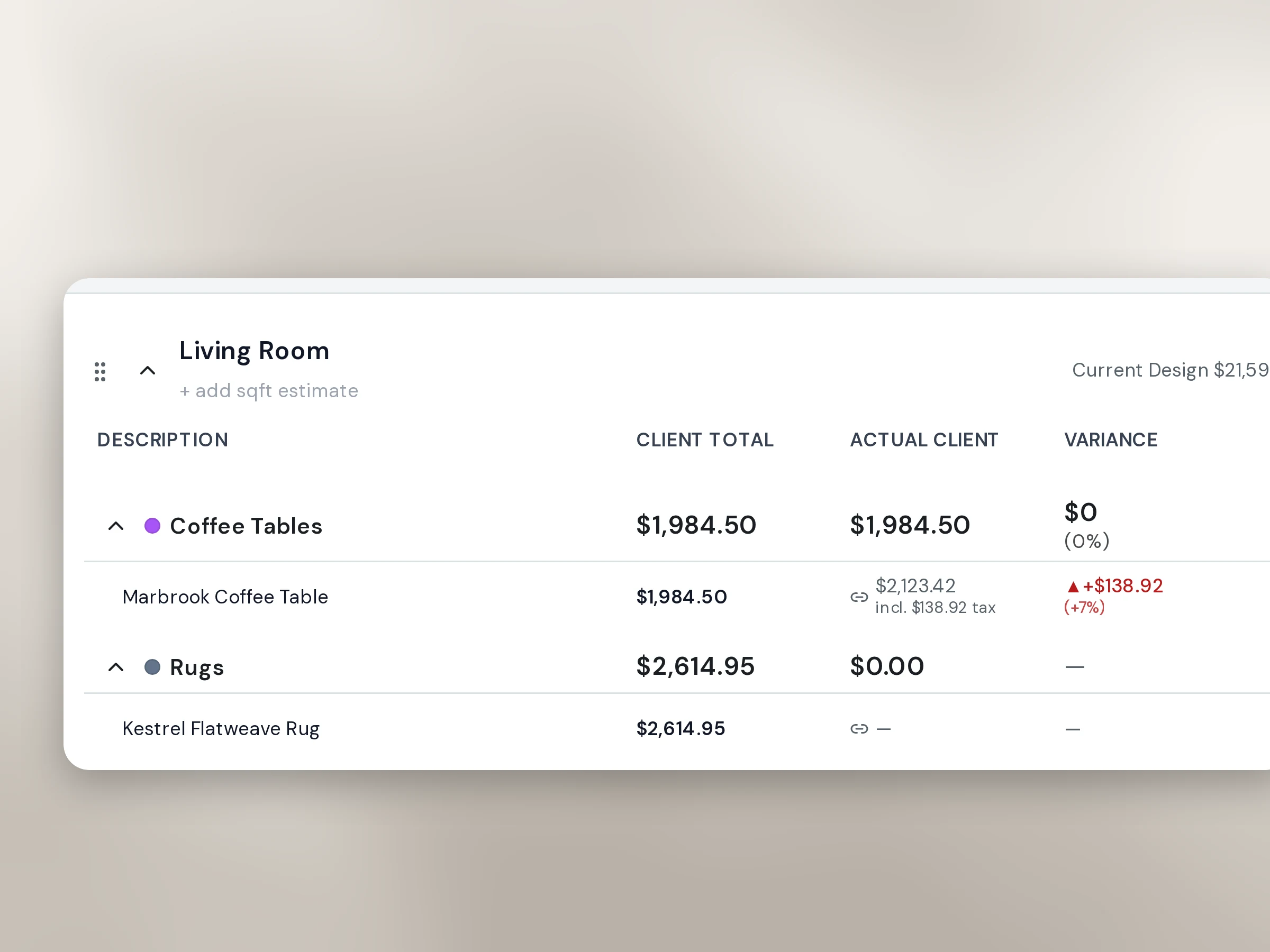
Estimate it. Design to it. Watch the actuals land.
A room-by-room budget with trade cost, markup, and client price on every line. Purchase orders come from it in one click, and every PO and invoice you write flows back in as an actual - so the variance column is always the truth, not a spreadsheet you meant to update.
The hand-off
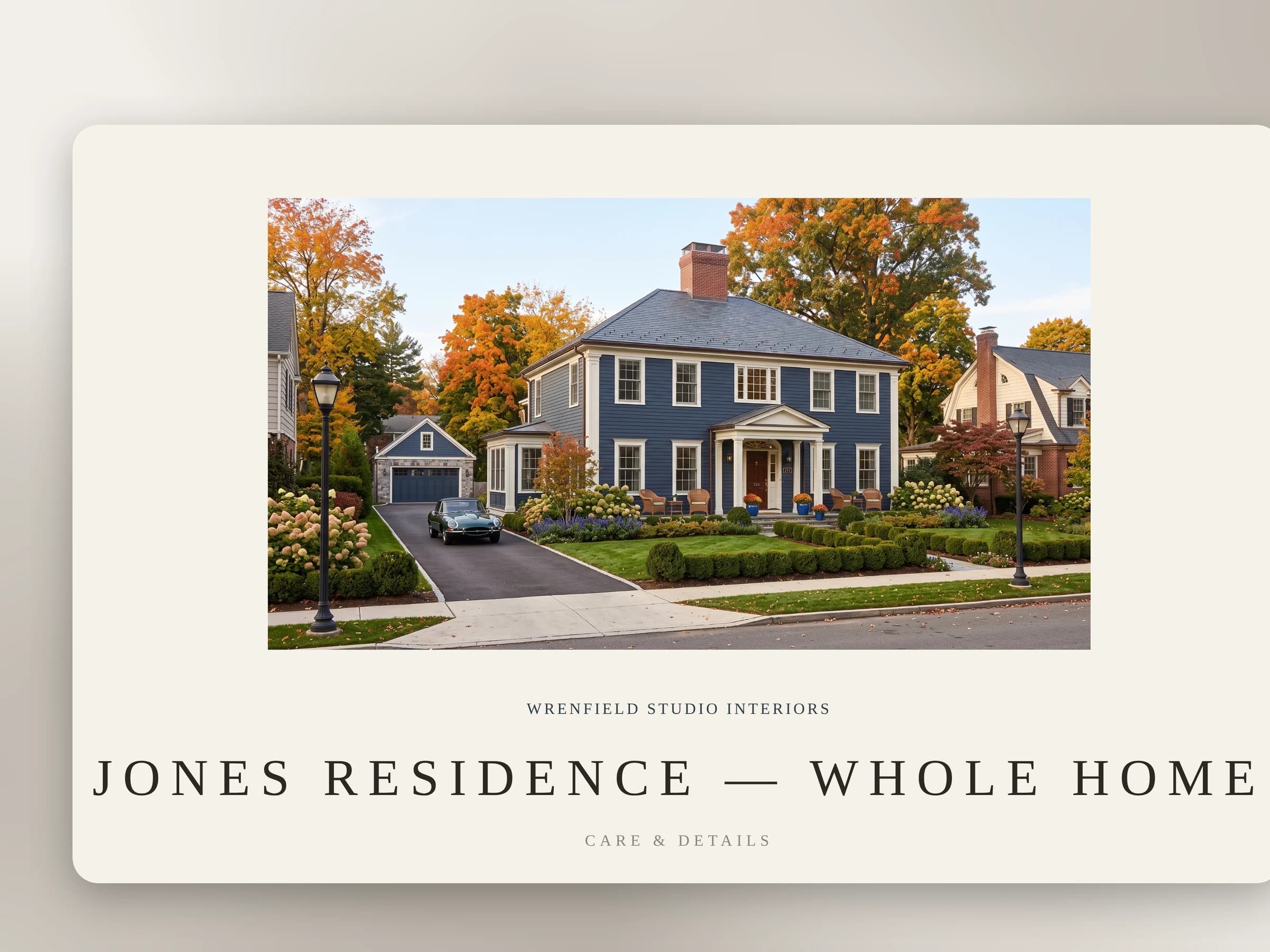
The close-out package, generated.
When the project wraps, the client gets a Care & Details book with your name on the cover: paint summary, lighting and bulbs, textile and rug care, furnishings, warranties - built from the project's own products and paints. Pick the sections, set the look, write the letter. No re-keying into a design tool.
The assistant
Ask CC. It knows your whole project.
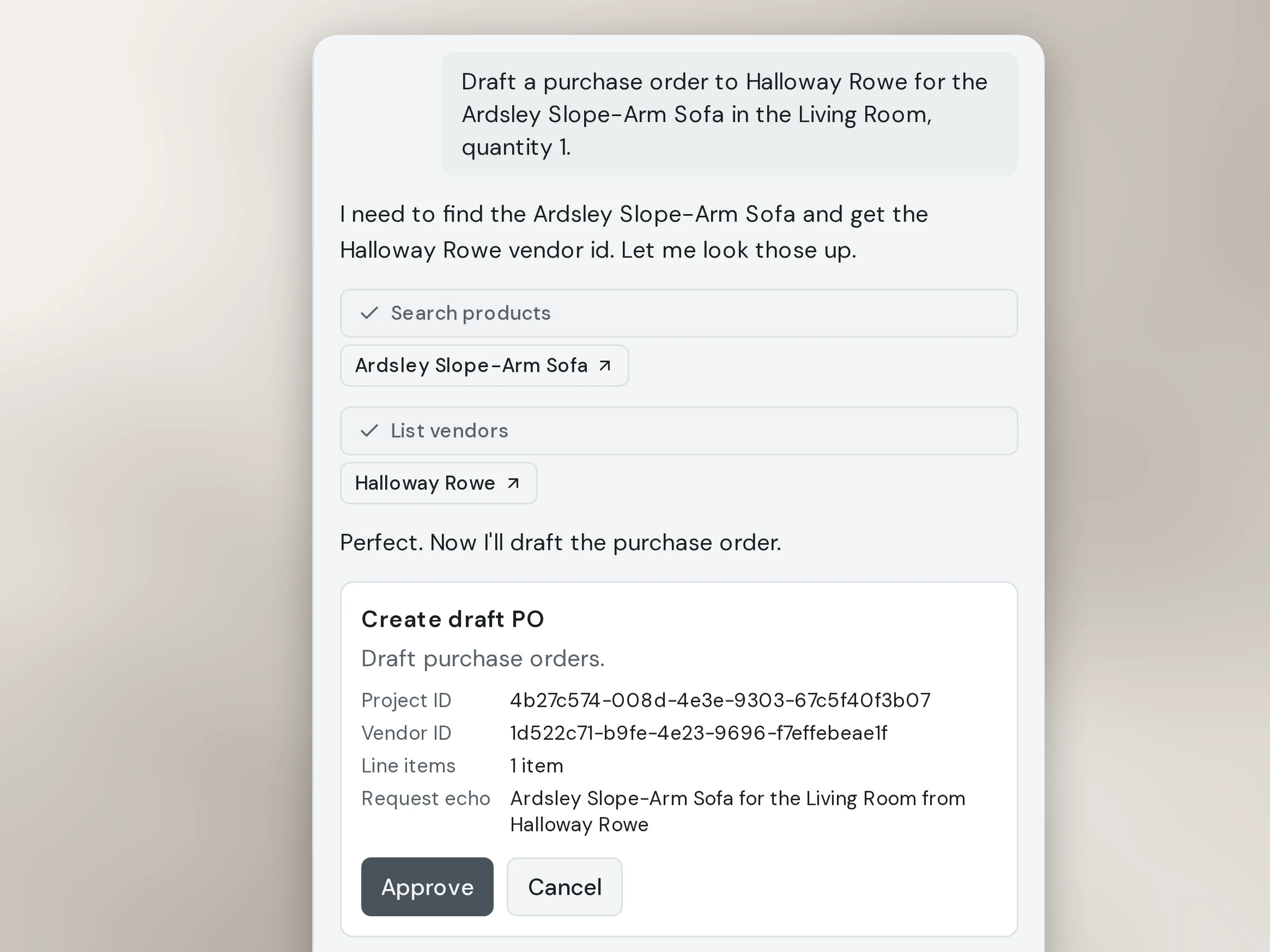
CC is built into every page. Ask what a client still owes, what’s unapproved in the living room, which POs haven’t shipped - it looks it up, in your firm’s real data, right now. Ask it to draft a purchase order or an invoice and it prepares one for you to approve. Nothing happens until you say so.
It can never send, pay, refund, delete, or message a client.
Bring your own
Already live in Claude or ChatGPT? Connect it. It can look things up, draft work, and build a room moodboard from your selections, with exactly the permissions you hand it and not one more.
Pricing
One price. Every feature.
All tiers include the full feature set. The only thing that changes is how many designers can use it.
1 user
For the firm of one. Every feature, your own client portal, and nothing left out.
- Every feature included
- Branded client portal
- Browser clipper extension
- QuickBooks & Stripe
Up to 5 users
For a small team. Same complete feature set, room for designers and project managers to work together.
- Every feature included
- Up to 5 users
- Contracts & questionnaires
- Branded client portal
Up to 10 users
For an established practice. The headroom to add a project manager, a bookkeeper, and a few more designers.
- Every feature included
- Up to 10 users
- Contracts & questionnaires
- Branded client portal
Need more than 10 users? Our Firm plan is custom-priced for larger practices. Or compare every plan side-by-side.
Built for design firms, by people who know them.
CoCanvas is built alongside working designers - tested against real projects, real clients, and real invoices, not dreamed up in a vacuum. It’s made for craft-driven firms, not retrofitted from a contractor tool. We work closely with the people who do this every day, so the software respects how the work actually moves.